
Lights
Caustics
The Caustics actor adds moving water light to floors, walls and ceilings. Place it at the water surface and pick a preset, with no material to build.
How It Works
Caustics is a Spot Light with an animated Light Function, set up for you.
- It adds light on top of the scene's lighting.
- It fades with distance and on surfaces facing away, like any Spot Light.
- With Cast Shadows on, objects in the water block it.
- It renders in the Path Tracer.
What It Fixes
| The problem | What to do |
|---|---|
| A pool or fountain looks still, because the water lights nothing around it. | Add a Caustics actor at the water surface. |
| An animated Light Function Material takes time to build and tune. | Pick one of 6 presets. |
| A water decal doesn't light the scene and isn't blocked by objects. | Use Caustics. It is a real light, and Cast Shadows lets objects block it. |
| A wall or ceiling beside a pool has no water light. | Turn the actor upside down and use Pool Reflection. |
| A render has to come out the same every time. | Key Caustics Time in Sequencer. |
What's Included
- 6 presets: Swimming Pool, Aquarium, Shallow Sea, Deep Water, Murky Lake and Pool Reflection.
- Water controls: Caustics Scale, Contrast, Sharpness, Speed, Distortion and Flow Direction.
- Spot Light controls: Intensity, Light Color, cone angles, Attenuation Radius and Cast Shadows.
- Your own pattern: set any tiling texture as the Caustics Texture.
- Sequencer: key Contrast, Sharpness, Speed, Distortion, Caustics Time, Intensity, Light Color, the cone angles and Attenuation Radius.
Placing Caustics
In the Place Actors panel, click the L Suite category.
Drag Caustics into the viewport.
Move it to the water surface.
You should see: moving caustics on the floor below. A new Caustics starts with the Swimming Pool preset.
In the Caustics section, click the Preset box (1) to try another look.
In the Light section, set Inner Cone Angle and Outer Cone Angle (3) to size the lit area.
Balance Intensity (2) against the rest of the lighting.
Turn on Cast Shadows (4) if objects in the water, such as a ladder, should block the caustics.
Tip: To throw reflected water light onto a ceiling or wall, turn the actor upside down. The Pool Reflection preset is made for this.
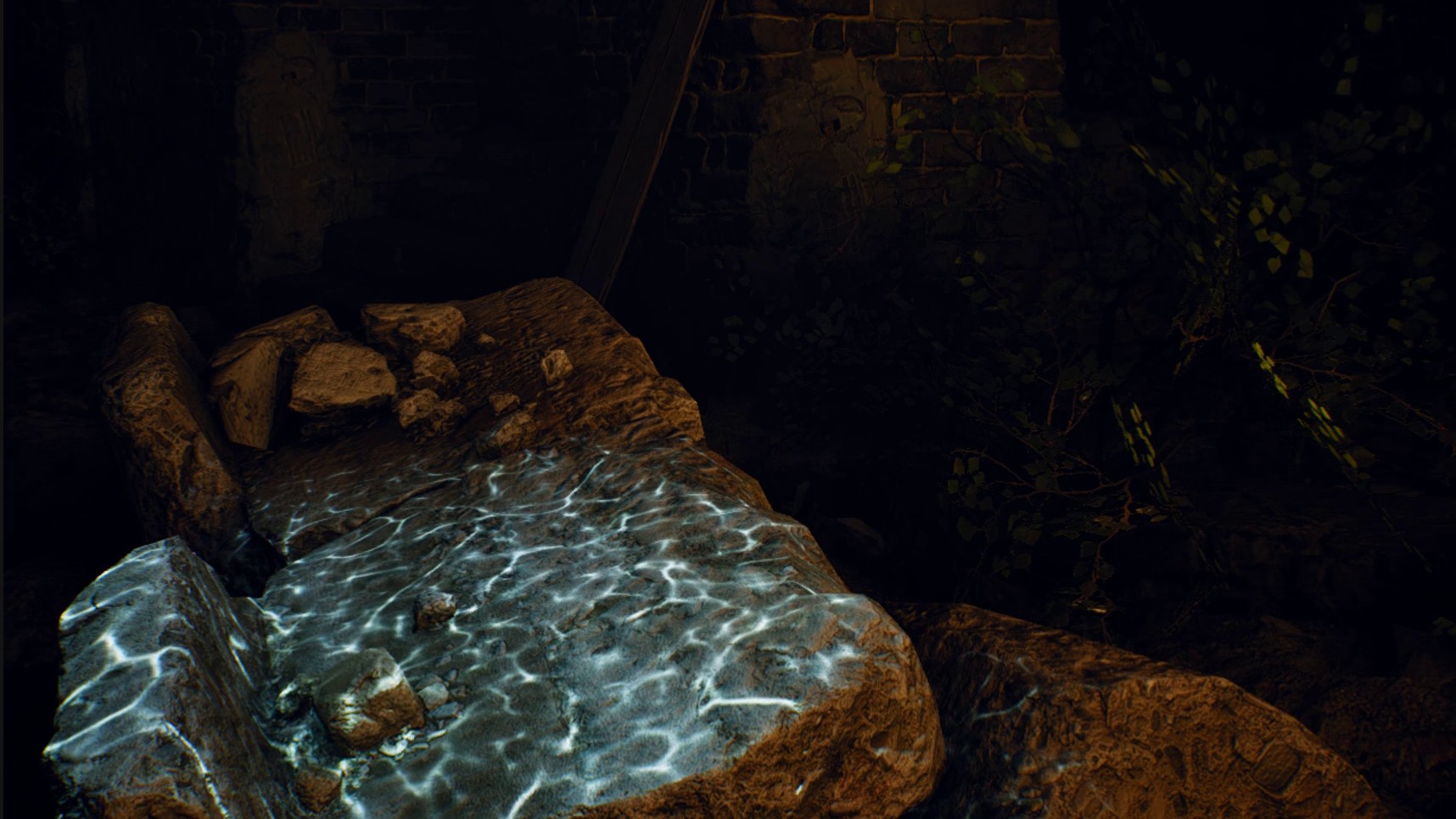
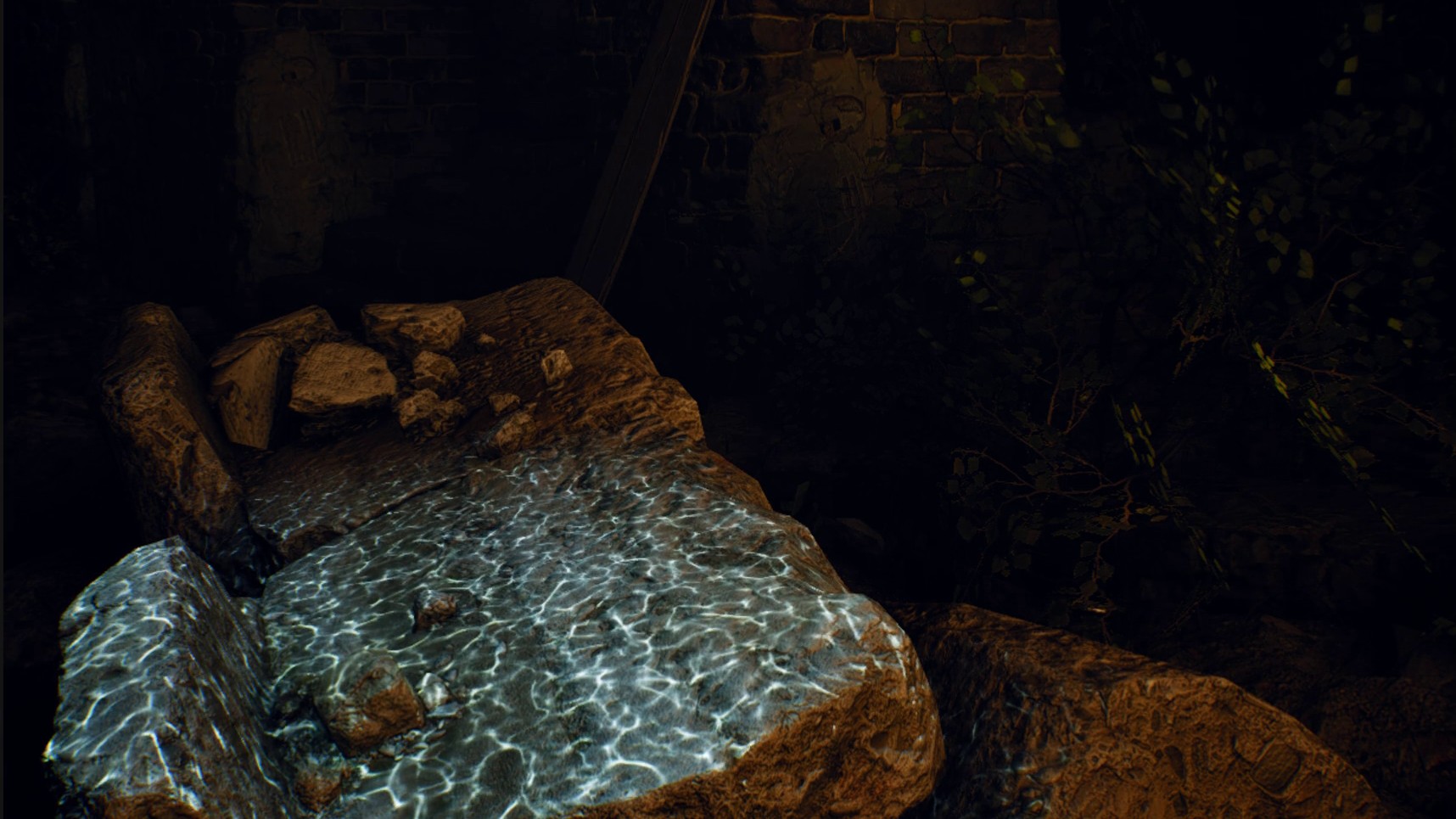
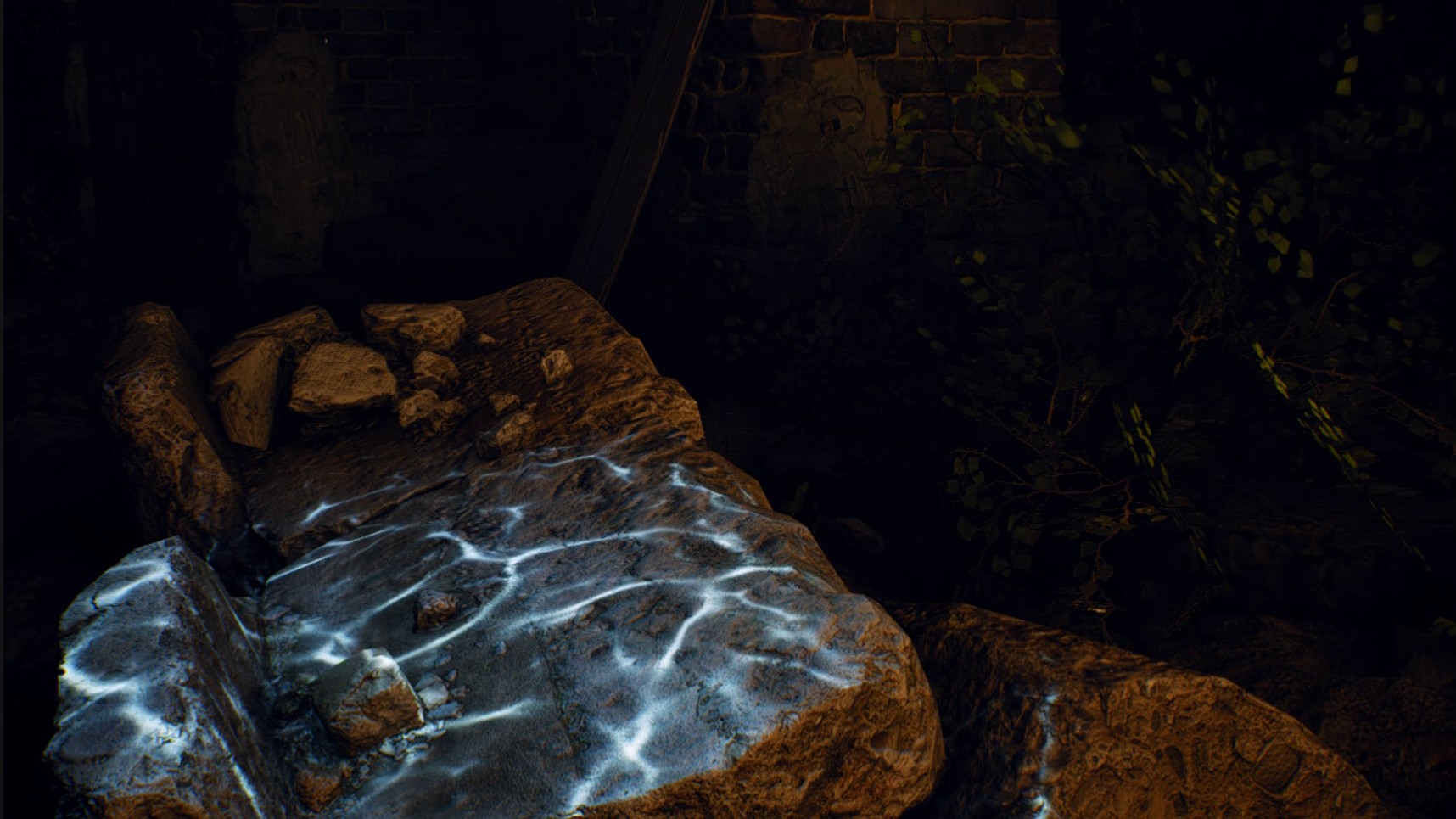
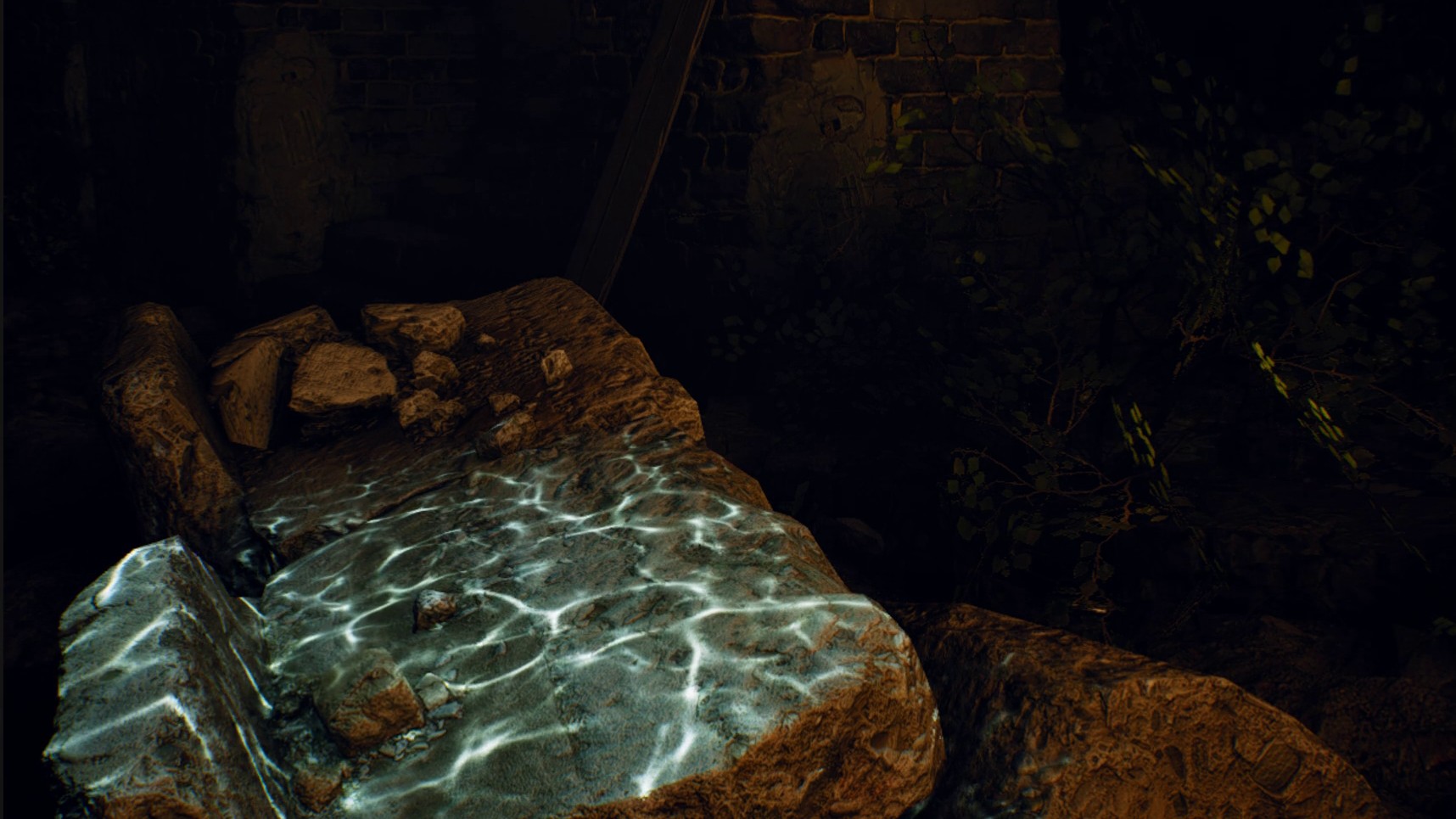
The same Caustics actor and camera with four of the presets. Only the preset changes; Intensity is raised for the dark cellar.
Caustics Properties
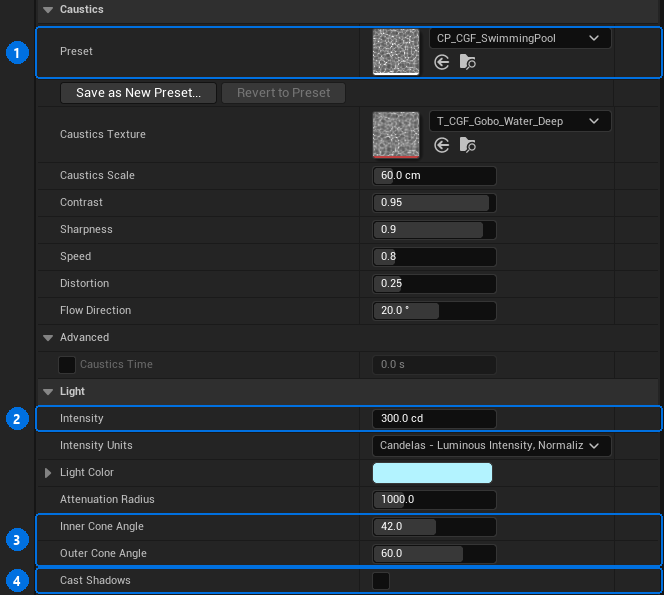
The defaults below are the values of the Swimming Pool preset.
| Section | Property | Description |
|---|---|---|
| Caustics | Preset | The look of the water. Picking one copies its values. |
| Caustics | Caustics Texture | The caustic pattern. Bright means light. It should tile. |
| Caustics | Caustics Scale | Size of one cell of the pattern, on the surface below the actor. With your own texture, the size of the whole texture. Default 60 cm. |
| Caustics | Contrast | 0 gives a fill with lines on top. 1 adds light only along the moving lines. Default 0.95. |
| Caustics | Sharpness | 1 is in focus (shallow water). Lower it for deeper or rougher water. Default 0.9. |
| Caustics | Speed | How fast the water moves. Default 0.8. |
| Caustics | Distortion | Wobble of the whole pattern, from larger waves. Default 0.25. |
| Caustics | Flow Direction | Direction the water drifts, in degrees. Default 20. |
| Caustics, Advanced | Caustics Time | Drives the animation from this value instead of the level's time. Key it in Sequencer, so renders repeat exactly. |
| Light | Intensity, Intensity Units | Light of the bright lines, added to the scene's lighting. Default 300 candelas. |
| Light | Light Color | Color of the light through the water. Clear water is slightly cyan, murky water green. |
| Light | Attenuation Radius | How far the light reaches. Keep it well past the surface. Default 1000 cm. |
| Light | Inner Cone Angle, Outer Cone Angle | Where the caustics start to fade and where the lit area ends, in degrees. Defaults 42 and 60. |
| Light | Cast Shadows | Off by default. It costs a shadow map for the light. |
Built-in Presets
| Preset | Look |
|---|---|
| Swimming Pool | Soft, bright ripples on a pool floor. |
| Aquarium | Small, quick ripples from a pump. |
| Shallow Sea | Bright, lively ripples on sand under small waves. |
| Deep Water | Soft, wide, slow ripples several meters down. |
| Murky Lake | Dim, green, blurred caustics. |
| Pool Reflection | Bands of reflected sunlight on a ceiling or wall. |
You can also drag these from Presets > Caustics in the Lighting Suite Library. Drop one on empty space to place a new Caustics actor with it.
Limitations
- It doesn't read your water. The pattern doesn't follow your water mesh or its waves.
- No pattern in Volumetric Fog. Fog gets the average light, so no moving lines show in fog shafts.
- Lumen's bounce is dimmed to the average. The actor sets the light's Indirect Lighting Intensity to the pattern's average brightness. Don't rely on moving lines in bounce light.
- It is a real light. Unlike the Softbox, it counts in Light Complexity and has a Light Function cost. Cast Shadows adds shadow cost on top.
- No MegaLights. The actor's light renders as a regular light, which keeps the fine lines sharp.
- Caustics Scale needs a surface. It is measured on static geometry below the actor, within Attenuation Radius. If nothing is found, the actor keeps the last surface.
- One color. Light Color tints the whole pattern. There are no rainbow colors.
- Light only. The actor doesn't add underwater fog or color.